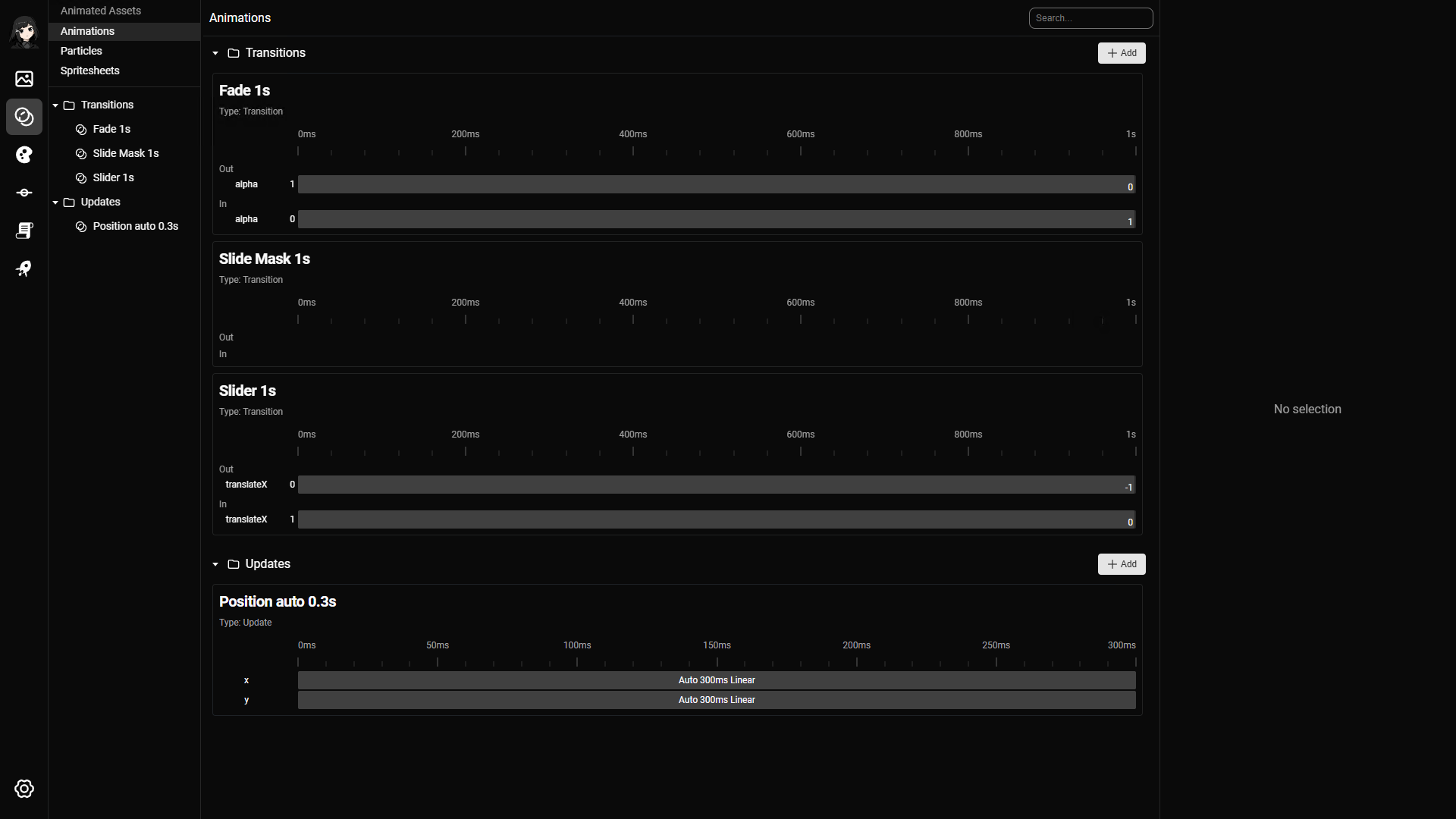
Animations are used on images and other visual elements to make transitions and motion feel smoother. In practice, you will usually define a small set of reusable animations and use them across backgrounds, characters, and other visuals.
There are 2 main animation modes:
- Update animations: animate a visual that is already on screen
- Transition animations: animate the change from one visual to another
Update animations
Update animations are applied to a single visual. They assume the visual is already on screen and will remain on screen after the animation finishes.
This is useful for effects such as:
- Moving a character slightly
- Fading an element in or out
- Scaling or repositioning a visual during a scene
Update animations use tween effects.
Transition animations
Transition animations are used when one visual is replaced by another. They can animate the outgoing visual, the incoming visual, or both.
This is useful for effects such as:
- Changing from one background to another
- Replacing a character pose
- Revealing a new image with a mask effect
Transition animations can use:
Animation effects
Tween
Tween effects change properties over time using keyframes. They can be used in both update animations and transition animations.
Each tween is made up of one or more animated properties. Each property can have:
- An optional initial value
- One or more keyframes
If no initial value is provided, the current value of the element is used. This makes it easier to create reusable animations.
Each keyframe has:
- A value
- A duration
- An easing
Values can be absolute or relative.
The main properties you can animate are:
- Position
- Dimension
- Alpha
Mask
Mask effects are used in transition animations. They reveal or hide an image based on a mask image instead of only moving or fading it.
The most important input is the mask image itself. You can also control values such as duration and smoothness.
Animation editor page
The animation editor is where you define and preview animation behavior.
You can:
- Edit tween properties and keyframes
- Configure mask-based transitions
- Click preview to test the result
- Hover the timeline to inspect how the animation looks at a specific point in time