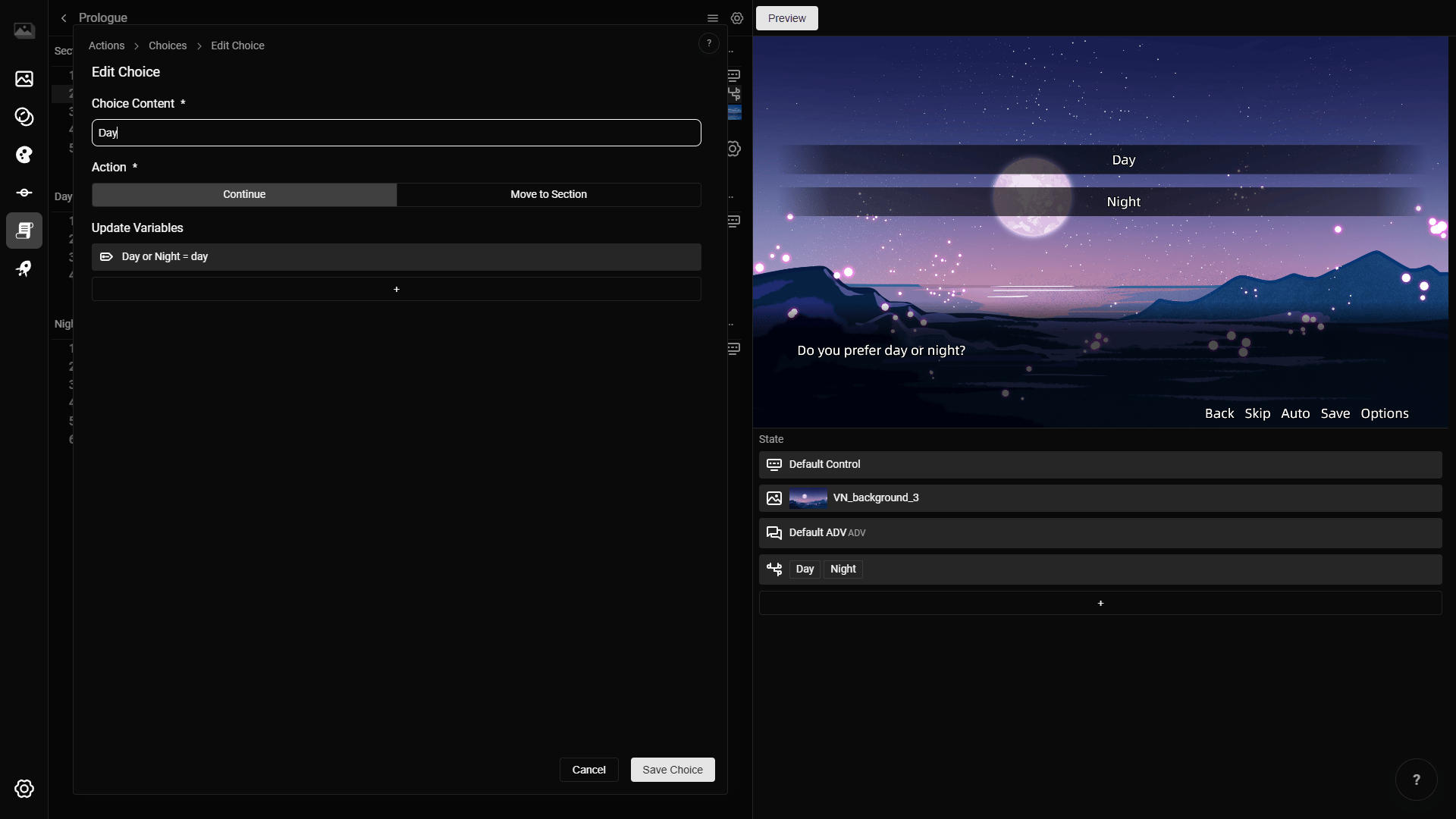
Choices show a list of options for the player to select.
Each choice item has text and a click action. When the player selects a choice, RouteVN Creator runs that item's action.
Choices Layout
Pick the choice layout used to display the options. Only layouts with the Choice type are shown here.
Choice items
Choice Items are the options shown to the player.
To add a choice item:
- Click
Add Choice. - Enter the choice content.
- Select the action.
- Fill any action fields that appear.
- Click
Save Choice.
To edit a choice item, click the item in the list.
To delete a choice item, right click the item and select Delete.
Choice item fields
Choice Content
Choice Content is the text shown for that option.
This field is required.
Action
Action controls what happens when the player selects the choice.
Use Continue when the choice should move to the next line.
Use Move to Section when the choice should jump to another section. Select the scene and section to use as the target. This action uses the same target behavior as Section Transition.